Your website may not be broken.
It may load correctly. Your design may look professional. Your pages may be indexed by Google. Visitors may be landing on your content from search results, ads, social media, or email campaigns.
But if they see the wrong message, the wrong offer, the wrong payment information, or the wrong landing page for their location, the experience feels wrong immediately.
That is a serious problem.
Many website owners think “wrong content” means a technical error, a broken page, or a caching issue. Sometimes that is true. But in many cases, the content is technically correct and still irrelevant to the visitor.
A visitor from Germany may see a promotion created for the United States. A visitor from Serbia may land on a page written for the United Kingdom. A customer from Brazil may see payment instructions that do not apply to their market. A user from Canada may see shipping information that only works for another country.
The page works.
The experience does not.
For WordPress websites, this is where geolocation becomes important. A single website should not always show the same content to every visitor, especially when the business serves multiple countries, regions, or customer groups.
Content is not wrong only when it is broken. Content is wrong when it reaches the wrong visitor at the wrong moment.
Why Visitors See Irrelevant Website Content
Most websites are built around one default experience.
One homepage. One main offer. One payment message. One call to action. One landing page structure. One version of the content for everyone.
That may work for a small local business with one market. But it quickly becomes a limitation when your website receives visitors from different countries or regions.
The problem is simple: different visitors often need different information.
A user from one country may need local payment options. A visitor from another region may need different shipping details. Someone from a specific market may need a different promotion, different contact information, or a dedicated landing page.
When your website shows the same content to everyone, it creates friction.
The visitor has to search, guess, compare, or decide whether the offer applies to them. Most people will not do that. They react quickly. If the first impression is not relevant, they leave.
This is one of the most common reasons why a website can receive traffic but still fail to generate enough leads, sales, registrations, or inquiries.
The Problem With Showing the Same Content to Every Country
International traffic is valuable only when the website knows how to handle it.
If every country sees the same message, the same CTA, and the same offer, part of your audience will always feel ignored.
For example, a WordPress website may show:
- A discount available only in one country
- A phone number that is not relevant for international visitors
- Shipping information that excludes part of the audience
- A WooCommerce payment message that does not match the visitor’s market
- An affiliate offer that is not available in the visitor’s country
- A landing page that speaks to the wrong region
This is not always a content quality problem. It is a targeting problem.
The same page can be useful for one visitor and irrelevant for another. That is why location-based content matters. It allows the website to adapt the experience without creating a completely separate website for every country.
How Location-Based Content Improves User Experience
Location-based content helps visitors see information that matches their real context.
Instead of forcing every visitor into the same generic experience, your WordPress website can display content based on country, region, city, or other supported geolocation data.
This can include:
- Country-specific offers
- Region-based announcements
- Local payment information
- Different calls to action
- Localized landing page sections
- Relevant contact information
- Different banners or promotional blocks
- Geolocation redirects to the right page
The goal is not to overload the website with unnecessary versions of the same content. The goal is to make the first impression more relevant.
A visitor should not have to ask: “Is this offer for me?”
The website should answer that question immediately.
That is what improves user experience. It reduces confusion, shortens the decision process, and helps visitors move faster toward the next action.
How WordPress Geolocation Helps Personalize Website Content
WordPress geolocation allows your website to understand where a visitor is coming from and adjust the experience based on that location.
This can be useful for business websites, WooCommerce stores, affiliate websites, SaaS landing pages, digital products, service providers, educational platforms, and international marketing campaigns.
Instead of creating multiple WordPress installations, separate domains, or complex manual structures, you can use geolocation rules to personalize content from one website.
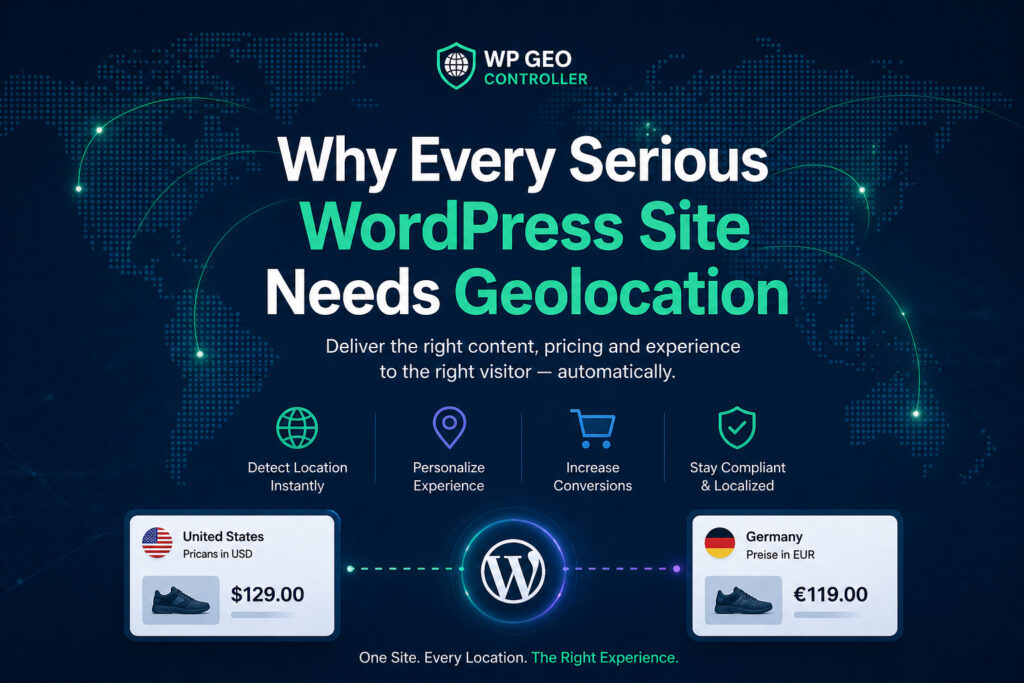
That means your WordPress site can show one message to visitors from the United States, another message to visitors from Germany, and a different CTA to visitors from Serbia or India.
The structure remains manageable.
The visitor experience becomes more relevant.
For many websites, this is a better approach than building multiple versions of the same page and trying to maintain them manually.
When to Use Geolocation Redirects
Geolocation redirects are useful when a visitor should land on a more relevant page based on location.
For example, you may have:
- A dedicated page for visitors from Germany
- A regional landing page for the United States
- A country-specific WooCommerce offer
- A different affiliate page for certain markets
- A localized campaign page for one region
In those cases, redirecting the visitor can improve the experience because it removes unnecessary steps.
However, redirects should be used carefully. The purpose is not to aggressively move every user around the website. The purpose is to help visitors reach the most relevant content faster.
A good geolocation redirect should feel useful, not forced.
If the redirect improves clarity, reduces confusion, or sends the visitor to a page that better matches their location, it can be a strong part of your website strategy.
How WP Geo Controller Solves This Problem
WP Geo Controller is a WordPress geolocation plugin built to help websites create location-aware experiences from a single WordPress installation.
Instead of showing the same content to every visitor, WP Geo Controller allows your WordPress website to respond based on visitor location.
You can use it to display location-specific content, personalize calls to action, show local payment information, promote regional offers, and guide visitors to the right landing page when needed.
This makes WP Geo Controller useful for:
- WordPress business websites
- WooCommerce stores
- Affiliate websites
- International landing pages
- Localized campaigns
- Country-specific promotions
- Region-based content strategies
- Websites that need geolocation redirects
The main value is simple: your website can stop treating every visitor the same.
If someone arrives from a specific country, your website can show content that better matches that visitor’s market, expectations, and intent.
That is not just personalization for design. It is personalization for relevance.
Why This Matters for SEO and Conversions
SEO brings visitors to your website, but relevance helps them stay.
A page can rank well and still perform badly if visitors do not find the content useful after they arrive. Search visibility matters, but the experience after the click matters just as much.
If the visitor sees irrelevant information, they may leave quickly. If the offer does not match their country, they may ignore it. If the payment information feels unfamiliar, they may not complete the purchase. If the landing page is too generic, they may never take the next step.
Location-based content helps close the gap between traffic and action.
For WordPress websites, this can support better engagement, clearer communication, and stronger conversion potential. It does not replace SEO. It improves what happens after SEO has already done its job.
Final Thoughts
If your website is showing the wrong content to visitors, the problem may not be a broken page.
It may be that every visitor receives the same experience, regardless of where they are located.
Modern websites need to be more relevant from the first screen. Visitors do not want to search for the right offer, the right payment information, the right landing page, or the right call to action. They expect the website to understand context immediately.
WP Geo Controller helps WordPress websites create personalized, location-aware experiences without running multiple websites or separate WordPress installations.
If you want to display different content by country, show local payment information, create geolocation redirects, or personalize your WordPress website based on visitor location, WP Geo Controller gives you a practical way to make your content more relevant.
Better location targeting can create a better visitor experience.
And a better visitor experience can lead to better results.
Download the latest Geo Controller version 9.0.7 and start showing more relevant content to visitors based on their location.