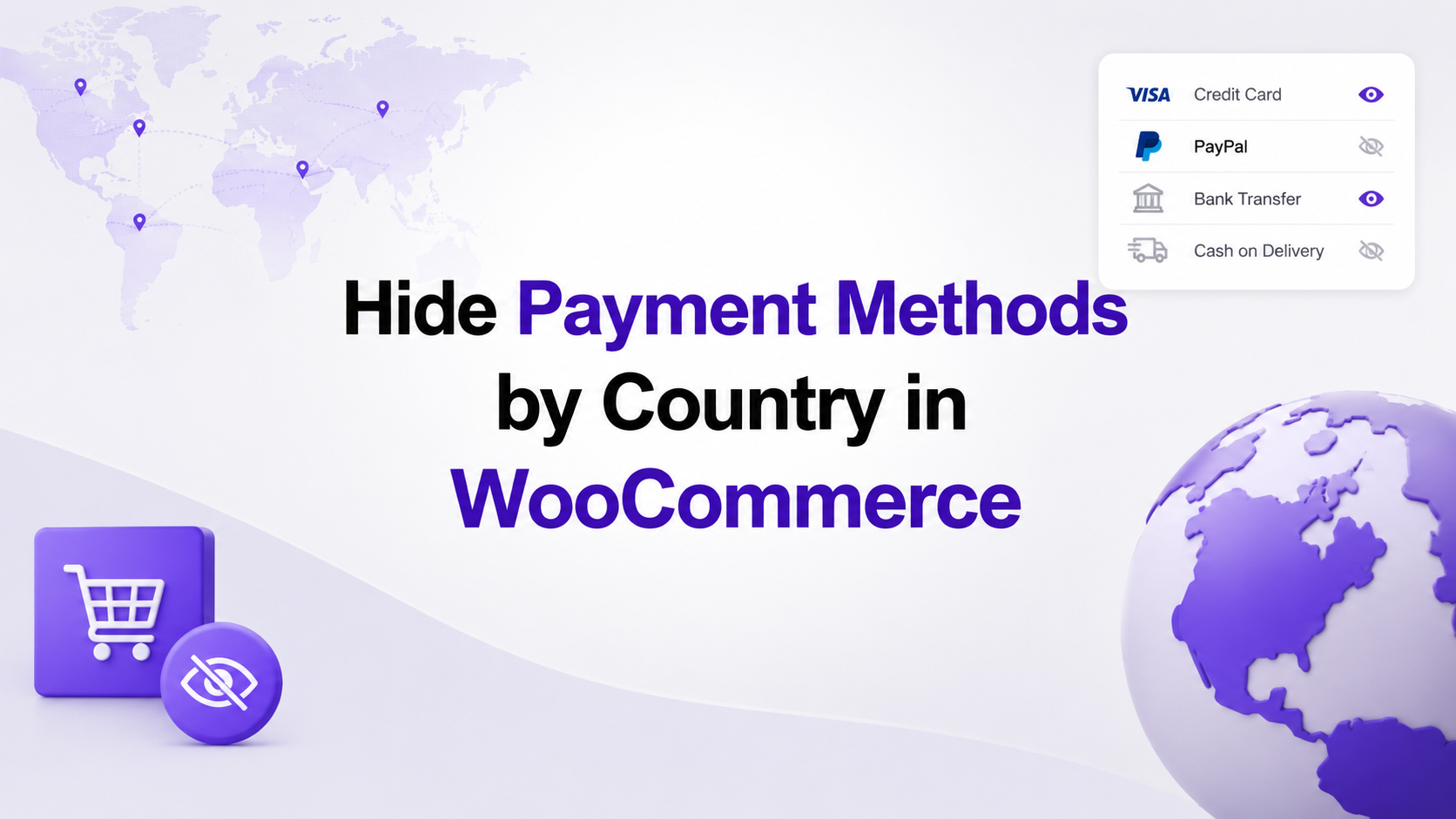
If you run a WooCommerce store that serves customers from multiple countries, you’ve probably encountered a common problem: every visitor sees the same payment methods, even when some of them aren’t available or don’t make sense for their location.
Imagine a customer from Germany reaching your checkout and seeing Cash on Delivery, even though you only offer it within Serbia. Or a visitor from Australia selecting a local bank transfer that isn’t available outside Europe.
Displaying every payment option to every customer creates unnecessary confusion during checkout. Visitors may select a payment method that cannot be used in their country, leading to failed orders, abandoned carts, and additional support requests.
Fortunately, WP Geo Controller makes solving this problem simple.
Why payment methods should be location-aware
Not every customer should see the same checkout experience.
An online store selling internationally often has different payment requirements depending on where the customer is located.
Common examples include:
- Cash on Delivery available only for domestic orders.
- Local bank transfers offered only to customers within a specific country.
- International customers using credit cards or digital wallets.
- Regional payment providers available only in selected countries.
Instead of forcing every customer to browse through payment methods that don’t apply to them, you can display only the options that are actually available for their location.
The result is a cleaner checkout, fewer mistakes, and a better shopping experience.
Why WooCommerce stores need payment visibility rules
WooCommerce itself doesn’t provide a universal way to manage payment method visibility by visitor location across all payment gateways.
Some payment gateway plugins include their own country restrictions, while others don’t offer this functionality at all. If you use multiple payment providers, managing these rules quickly becomes inconsistent and difficult.
Many store owners solve this by writing custom PHP code, installing multiple plugins, or modifying payment gateway behavior through hooks and filters.
That approach works, but it also increases maintenance and complexity.
A simpler solution with WP Geo Controller
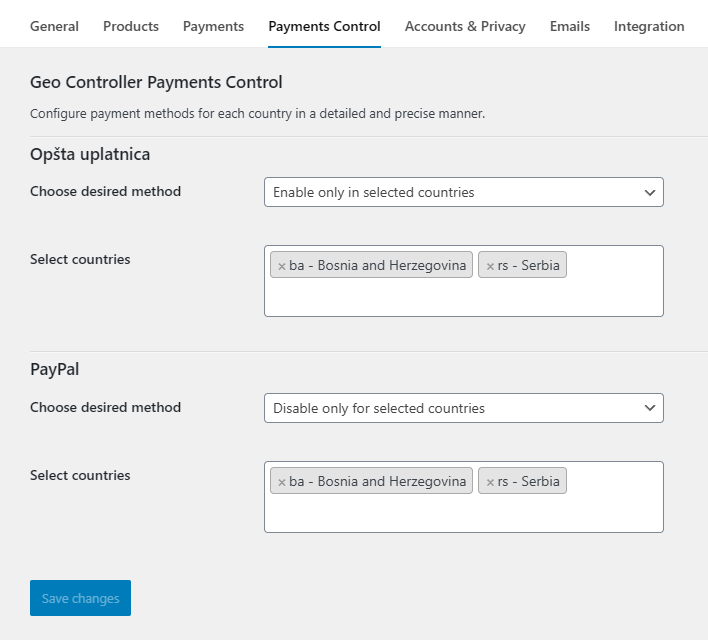
WP Geo Controller introduces a dedicated Payments Control feature that allows you to manage payment method visibility from a single location.
Instead of editing PHP code or configuring each payment gateway individually, you simply open the Payments Control settings and choose how every payment method should behave.
For each payment method you can:
- Select the countries where it should be displayed.
- Select the countries where it should be hidden.
- Choose the preferred visibility mode.
- Manage all payment methods from one interface.
Once configured, WP Geo Controller automatically detects the visitor’s location and only displays the payment methods that match your rules.
Whether you’re using Stripe, PayPal, Bank Transfer, Cash on Delivery, or any other WooCommerce payment gateway, Payments Control lets you configure country-specific visibility from a single interface.
The checkout experience becomes personalized without requiring custom development.
Different payment methods for different countries
Imagine an online store based in Serbia.
The business wants to offer:
- Cash on Delivery only to customers in Serbia.
- Bank Transfer to customers across Europe.
- Credit Card payments worldwide.
Without geolocation, every customer would see every payment method.
A customer from Canada would still see Cash on Delivery, even though the option isn’t available.
A customer from Australia might attempt to use a payment method intended only for European customers.
With WP Geo Controller, this is handled automatically.
Simply open the Payments Control settings, select the payment method, choose the countries where it should be available, save the changes, and you’re done.
Customers will only see payment options that are relevant to their location.
Benefits of country-based payment control
Limiting payment methods by country offers several important advantages.
Cleaner checkout
Customers aren’t distracted by payment options they can’t use.
Better conversion rates
Reducing unnecessary choices often leads to faster purchasing decisions and fewer abandoned carts.
Fewer failed payments
Visitors no longer attempt to use payment methods that aren’t supported in their country.
Easier management
All payment visibility rules are managed from a single interface instead of being scattered across different payment gateway plugins or custom code.
No custom development
There’s no need to write PHP functions, modify WooCommerce templates, or maintain custom snippets after updates.
Unlike custom PHP snippets, Payments Control continues to work after WooCommerce updates without requiring manual code maintenance. Store owners can adjust country rules directly from the dashboard whenever business requirements change.
Setting up Payments Control
Configuring country-based payment visibility takes only a few moments.
- Open the WooCommerce settings.
- Navigate to Payments Control tab.
- Select the payment method you want to configure.
- Choose whether the selected countries should be allowed or blocked.
- Select the countries.
- Save your changes.
Every payment method can independently use one of three visibility modes, allowing you to combine global payment methods with country-specific ones.
From that point on, WP Geo Controller automatically applies your rules whenever a customer reaches the checkout page.
Perfect for international stores
Payments Control is particularly useful for businesses that:
- sell internationally,
- work with multiple payment providers,
- offer local payment methods,
- operate in different markets,
- want a cleaner and more professional checkout experience.
Whether you’re running a small WooCommerce shop or a global online business, showing the right payment methods to the right customers creates a more intuitive purchasing process.
Final thoughts
Every unnecessary payment option is another opportunity for confusion during checkout. By showing only the payment methods that are actually available in the customer’s country, you simplify purchasing, reduce support requests, and create a more professional shopping experience. WP Geo Controller’s Payments Control makes this possible without custom development or complex WooCommerce modifications.
Frequently Asked Questions
Can I show different payment methods for different countries?
Yes. WP Geo Controller’s Payments Control allows you to define which countries can see each payment method.
Do I need custom PHP code?
No. Payments Control provides a graphical interface where payment visibility can be configured without writing code.
Does this work with multiple WooCommerce payment gateways?
Yes. Each payment gateway can have its own independent country rules, allowing you to combine global and country-specific payment methods within the same WooCommerce store.
Can I hide Cash on Delivery for international customers?
Absolutely. You can configure Cash on Delivery to appear only for selected countries while remaining hidden everywhere else.
Is Payments Control suitable for international WooCommerce stores?
Yes. It’s designed for stores that want to provide different payment options depending on the customer’s geographic location, making the checkout process simpler and more relevant for every visitor.
Can I configure each payment gateway differently?
Yes. Every payment method has its own independent configuration, allowing you to combine global and country-specific payment options within the same WooCommerce store.