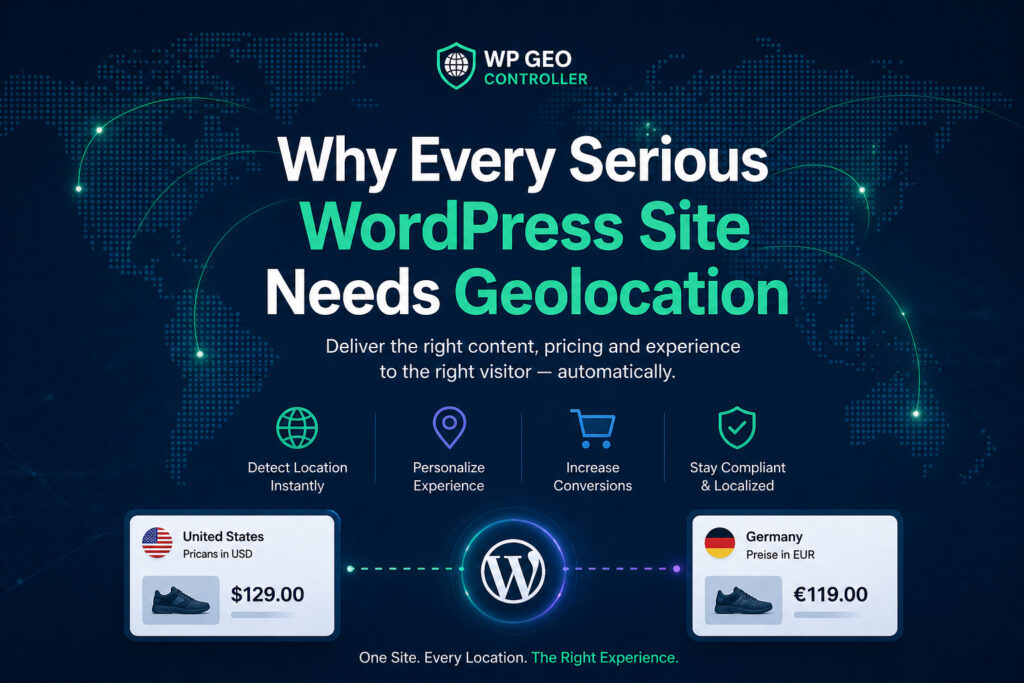
Finding the best WordPress geolocation plugin in 2026 depends on what your website needs to accomplish. Some plugins detect visitor locations to personalize content, control WooCommerce functionality, or redirect users to regional pages. Others specialize in interactive maps, store locators, and location-based searches.
These tools are often compared as direct competitors, but their primary purposes can be significantly different.
An international WooCommerce store may need country-specific payment methods and regional pricing, while a real estate website may require radius-based property searches. Both use geographic information, but they need different solutions.
In this comparison, we examine five WordPress geolocation plugins: Geo Controller, GeotargetingWP, GEO my WP, If-So Dynamic Content, and Geolocation. We look at their core features, practical applications, licensing models, and technical limitations to help you choose the right solution.
Editorial note: This comparison is published by the developers of Geo Controller and includes our own product alongside other WordPress solutions.
Best WordPress Geolocation Plugins: Quick Comparison
Before examining individual products, it is important to distinguish between visitor geolocation, content geotargeting, and geographic search. Although related, these technologies address different requirements.
This comparison covers different categories of WordPress geolocation solutions. The plugins are evaluated according to their documented primary purpose, available features, licensing approach, and intended use cases. They are not presented as functionally identical alternatives, and no overall performance ranking is implied.
| Plugin | Best For | Primary Focus | Licensing |
|---|---|---|---|
| Geo Controller | International websites and WooCommerce | Visitor geolocation, geotargeting, localization | Free tier and paid licenses |
| GeotargetingWP | Regional campaigns and affiliate websites | Content targeting and redirects | Subscription plans with API request quotas or local database options |
| GEO my WP | Directories and store locators | Mapping and proximity search | Free core and paid extensions |
| If-So Dynamic Content | Marketing and landing pages | Conditional content personalization | Free and paid options |
| Geolocation | Travel blogs and location-based publishing | Post geotagging and maps | Free, open-source |
This table summarizes each product’s main purpose rather than every available feature. Some functionality may require additional extensions, specific licenses, or external services.
1. Geo Controller – WordPress Geolocation and Advanced Geotargeting
Best for: Visitor IP geolocation, WooCommerce localization, geographic content rules, regional redirects, and custom WordPress development.
Geo Controller is a WordPress geolocation plugin designed to identify the approximate geographic location of website visitors and make that information available throughout WordPress.
Unlike plugins primarily focused on mapping physical locations, Geo Controller emphasizes how geographic information can influence website behavior.
For example, a website can display different promotions based on a visitor’s country, show regional contact information, restrict selected content, or redirect users to location-specific pages.
Its capabilities also extend to WooCommerce, where geographic conditions can influence product visibility, currencies, and supported payment methods.
Key Features
- IP-based geolocation for countries, regions, cities, timezones, and additional geographic properties.
- Conditional content display using geographic rules and shortcodes.
- Country, region, city, and postcode-based redirects.
- WooCommerce product visibility and localization options.
- Geolocation-based currency conversion and price display.
- Geographic conditions for supported payment methods.
- PHP, JavaScript, and REST API integration.
- Selected geographic access-control, proxy, VPN, and spam-related features.
One of Geo Controller’s practical advantages is that developers can use geographic information across several WordPress features rather than implementing separate detection systems for every requirement.
Its geolocation shortcodes allow conditional content and location information to be displayed within supported WordPress content. Developers can also use documented PHP and JavaScript interfaces for more advanced integrations.
WooCommerce and International Business
Geo Controller is particularly relevant for WooCommerce stores operating across multiple markets, where customers may expect different currencies, regional offers, payment methods, or purchasing experiences.
The plugin integrates directly with WooCommerce’s native geolocation settings, allowing store owners to select “Geolocate (by Geo Controller)” as the default customer location method. This enables WooCommerce to use Geo Controller’s IP geolocation data instead of its built-in geolocation provider when determining a customer’s initial location.
For example, an online store serving customers in Germany, the United States, South Africa, and Nigeria can use geographic information to adapt selected elements of the shopping experience.
Geo Controller includes a configurable WooCommerce currency conversion system that allows store owners to display prices in currencies relevant to different markets. Depending on the selected settings, stores can display the original price, the converted price, or both prices in a preferred order.
The currency conversion system also provides additional pricing controls, including price rounding, percentage-based adjustments, decimal precision, and configurable thousand and decimal separators. Store administrators can keep original prices visible in the WordPress dashboard while presenting localized prices to customers.
Another important feature is geographic payment gateway control. Store owners can show or hide existing WooCommerce payment methods based on the visitor’s country. Each gateway can be configured to appear only in selected countries or be excluded from specific regions, while actual payment processing remains the responsibility of the installed payment gateway.
By combining native WooCommerce geolocation integration, flexible currency conversion, localized price formatting, and country-based payment gateway availability, Geo Controller helps international stores deliver more relevant shopping experiences without requiring separate websites for each market.
Pricing and Limitations
Geo Controller offers a free usage tier with up to 500 IP lookups per domain per day. Paid licenses provide unlimited lookups during the active licensing period, with website allowances and support determined by the selected plan.
Some advanced features, including WooCommerce payment controls, currency conversion, and REST API functionality, require an active paid license. Feature availability depends on the selected licensing plan.
Its main limitation is specialization. Geo Controller can display basic location maps, but it is not intended to replace advanced directory builders or proximity-search systems.
Like other IP-based solutions, its geographic information is approximate and can be affected by VPNs, proxies, and mobile networks.
For projects requiring more precise location information, Geo Controller also offers an optional GPS extension that complements IP-based geolocation with device-provided location data and Google Geocoding API integration. However, GPS functionality requires a compatible device, browser location permissions, Google API configuration, and an eligible annual Geo Controller license. Since visitors can deny location access, GPS-based geolocation should be treated as an optional enhancement rather than a guaranteed replacement for IP-based detection.
Verdict: Geo Controller is a strong candidate for international WordPress and WooCommerce projects that need geographic information to influence content, redirects, purchasing experiences, or custom application logic.
Explore its WordPress geolocation features or review the available licensing options.
2. GeotargetingWP – Geographic Content Targeting and Redirects
Best for: Regional marketing campaigns, geographic redirects, affiliate link localization, and conditional content visibility.
GeotargetingWP provides a collection of WordPress tools for delivering different website experiences according to visitor location.
Its products address several common geotargeting requirements, including displaying content for selected countries, redirecting visitors to regional websites, and managing geographic affiliate links.
For example, an affiliate website targeting audiences in the United States, Canada, and the United Kingdom can use geographic rules to direct visitors toward different merchant destinations.
Similarly, a company maintaining separate regional landing pages can use geographic redirects to suggest or deliver a more relevant destination.
Key Features
- Country, state, city, and supported postal-code targeting.
- Conditional content visibility.
- Location-based URL redirects.
- Geographic affiliate link management.
- Custom geographic regions and targeting conditions.
- Integration with popular WordPress content-building workflows.
- Caching options for reducing repeated geolocation requests.
Its dedicated approach to affiliate links and geographic redirects makes it particularly relevant for publishers and marketing teams managing international campaigns.
Pricing and Limitations
GeotargetingWP uses subscription plans with geographic request allowances. Its documentation explains that requests are consumed when visitors access pages using geolocation functionality, although caching can reduce repeated API calls.
The service also supports selected local geolocation databases, depending on the subscription plan.
Geo Controller and GeotargetingWP use different licensing approaches. Geo Controller offers unlimited IP lookups during an active paid license, while GeotargetingWP provides subscription-based request allowances and supports local geolocation databases that can operate without consuming API requests. The most suitable option depends on traffic, infrastructure, licensing requirements, and the selected configuration.
Verdict: GeotargetingWP is worth considering when geographic content rules, redirects, and affiliate marketing are central requirements.
Its official product website provides details about available solutions, while the pricing page explains subscription allowances.
3. GEO my WP – Location Directories and Proximity Search
Best for: Business directories, store locators, real estate listings, community websites, and geographic search.
GEO my WP takes a different approach to geolocation.
Instead of primarily detecting where visitors connect from and modifying website content accordingly, it focuses on associating physical locations with WordPress records.
These records can include posts, custom post types, users, businesses, and community profiles.
Visitors can then search for records near an address, filter results by distance, or explore locations on interactive maps.
This makes GEO my WP particularly relevant for websites where geographic search is part of the core user experience.
Key Features
- Geotagging WordPress posts, users, and custom post types.
- Proximity searches with configurable distance filters.
- Store locators and geographic directories.
- Interactive maps and customizable markers.
- Address autocomplete and location-based filtering.
- BuddyPress and other community integrations.
- Additional extensions for advanced directory functionality.
Consider a real estate website containing hundreds of properties across multiple cities. Visitors may want to find listings within 15 kilometers of a selected address.
That requires geographically indexed records and proximity calculations rather than conventional visitor IP geotargeting.
GEO my WP is designed around those requirements.
Pricing and Limitations
GEO my WP offers a free core plugin, with commercial extensions and access passes for additional capabilities.
Its primary limitation in this comparison is that mapping and proximity search should not be confused with comprehensive visitor-based geotargeting.
Although geographic features can overlap, a plugin optimized for searchable directories is not necessarily the most appropriate solution for localized checkout behavior or country-specific marketing rules.
Verdict: GEO my WP is a suitable choice when a website revolves around physical locations, searchable geographic records, or interactive directories.
Review its documented mapping and directory features for supported functionality.
4. If-So Dynamic Content – Location-Based Personalization
Best for: Marketing websites, dynamic landing pages, personalized content, and WordPress page-builder workflows.
If-So Dynamic Content is a WordPress personalization plugin that supports geolocation alongside other visitor-related conditions.
Rather than concentrating exclusively on geographic detection, it allows website owners to change selected content based on defined rules.
For example, a marketing website can display different headlines, promotions, buttons, or product recommendations depending on the visitor’s country.
Geolocation can also be combined with broader personalization strategies involving user behavior, referral sources, or other supported conditions.
Key Features
- Location-based content personalization.
- Conditional text, images, buttons, and page elements.
- Geographic redirects and promotional messages.
- Integration with popular WordPress page builders.
- Visitor-selected location options.
- WooCommerce-related personalization features.
- Additional targeting conditions beyond geographic location.
Its main advantage is the ability to create personalized content experiences without developing custom conditional logic for every page.
For marketing teams already working with Elementor or Gutenberg, this approach can fit naturally into existing content-management processes.
Pricing and Limitations
If-So provides free and paid options, with geographic functionality subject to plan-specific usage conditions.
Its documentation describes a monthly geolocation session allowance, which differs from request-based services and domain-based licensing models.
Another consideration is that If-So is a broader personalization platform. Businesses primarily seeking geographic data for custom WordPress or WooCommerce application logic should evaluate whether its integration approach matches their development requirements.
Verdict: If-So is particularly relevant for marketing-oriented websites that want flexible content personalization without extensive custom development.
The official location-based content documentation explains its geographic targeting capabilities.
5. Geolocation – WordPress Post Geotagging and Maps
Best for: Travel blogs, geographic storytelling, location-tagged posts, and route visualization.
Geolocation is an open-source WordPress plugin designed to associate published content with physical locations.
Maintained by Yann Michel, it provides a relatively focused set of capabilities for displaying where stories, photographs, or travel experiences took place.
Instead of identifying visitors for commercial targeting, the plugin allows publishers to attach locations to posts and display them through text, maps, or geographic routes.
Key Features
- Assigning geographic coordinates to WordPress posts.
- Displaying post locations on maps.
- Reading supported GPS data from featured images.
- Creating overview maps containing multiple posts.
- Connecting locations into routes.
- Displaying GPX tracks for hiking and cycling.
- Support for OpenStreetMap and Google Maps.
A travel blogger documenting a cycling journey across Europe, for example, can associate individual articles with geographic locations and display the entire journey on a map.
The plugin also provides privacy-oriented options, including OpenStreetMap support and configurations that reduce unnecessary third-party map requests.
Pricing and Limitations
Geolocation is available as a free, open-source WordPress plugin.
Its functionality is intentionally focused on geographic publishing. It is not designed to provide comprehensive WooCommerce localization, country-specific payment conditions, or advanced visitor geotargeting.
Verdict: Geolocation is a practical option for publishers who want to connect WordPress content with real-world locations without introducing a larger targeting platform.
Installation details and features are available through its official WordPress.org listing.
Geo Controller vs. GeotargetingWP: Which Should You Choose?
Among the products in this comparison, Geo Controller and GeotargetingWP have some of the clearest overlaps in their intended applications.
Both address visitor-based geolocation and geographic targeting, and both can support regional content or redirect strategies.
The differences become more relevant when examining integration requirements and licensing.
Geo Controller emphasizes geographic information that can be used across WordPress and WooCommerce, including content conditions, localized e-commerce behavior, developer interfaces, and additional geographic controls.
GeotargetingWP emphasizes dedicated geographic targeting products, including content rules, redirects, and affiliate link localization.
Both provide caching-related options, although their configurations and behavior differ.
Their licensing models are also distinct. Geo Controller’s paid licenses provide unlimited lookups during the active licensing period, while GeotargetingWP uses request allowances and supports selected local database configurations.
Neither pricing model is automatically better for every website. An agency managing multiple low-traffic websites may have different requirements from a single high-traffic WooCommerce store.
Choose based on the complete workflow: whether you need general geographic data for custom development, dedicated marketing tools, particular WooCommerce functionality, or a specific operational cost model.
What Matters Most When Choosing a WordPress Geolocation Plugin?
Beyond advertised functionality, three practical considerations deserve particular attention.
Geolocation Accuracy
IP geolocation estimates the location associated with an internet connection. It does not guarantee the physical location or legal residence of an individual.
VPNs, proxies, mobile networks, and corporate gateways can affect the result. City-level accuracy can also vary significantly.
For most marketing applications, a country-level estimate may be sufficient. For legally sensitive decisions, additional verification may be required.
Caching and Performance
Location-based content must work correctly with WordPress caching, hosting infrastructure, and CDN services.
A full-page cache that serves identical HTML to visitors from different countries may display the wrong regional content unless geographic variation is handled correctly.
Depending on the implementation, solutions may use AJAX, dynamic fragments, cache variation, or exclusions.
Geo Controller provides documentation about dynamic geographic content and caching, including considerations for cached WordPress environments.
SEO and Geographic Redirects
Geographic redirects can improve regional navigation, but incorrect configurations may prevent users or search-engine crawlers from accessing important content.
International websites should maintain crawlable regional URLs, use appropriate language and region signals, and avoid unnecessary redirect chains.
Geo Controller’s SEO redirection documentation explains supported geographic rules and available HTTP response options.
Geolocation should support an international SEO strategy, not replace it.
Frequently Asked Questions
What is the best WordPress geolocation plugin for WooCommerce?
Geo Controller is worth considering for stores that need visitor-based geolocation, geographic product visibility, currency localization, and payment-method conditions. The exact requirements should be checked against the installed WooCommerce extensions and payment gateways.
Can WordPress automatically detect a visitor’s country?
Yes. IP geolocation plugins can estimate a visitor’s country using geographic data associated with an IP address. Results are approximate and may be affected by VPNs, proxies, and network routing.
Which WordPress plugin is best for store locators?
GEO my WP is designed for store locators, geographic directories, interactive maps, and proximity search. These use cases require different capabilities from visitor-based content geotargeting.
Can a WordPress geolocation plugin show different content by country?
Yes. Geo Controller, GeotargetingWP, and If-So provide different approaches to geographic content targeting. The most appropriate solution depends on the required rules, integrations, and content-management workflow.
Does WordPress geolocation require Google Maps?
No. IP-based visitor geolocation and content targeting do not inherently require Google Maps. Mapping services become relevant when displaying interactive maps, geocoding addresses, or performing location-based searches.
Does installing a geolocation plugin improve SEO?
Not automatically. Geolocation can support localized content and regional user experiences, but search visibility still depends on content quality, technical SEO, crawlability, and appropriate redirect configuration.
Final Verdict: Which WordPress Geolocation Plugin Is Best in 2026?
The best WordPress geolocation plugin is the one that matches your project’s actual requirements.
For business directories, store locators, and proximity searches, GEO my WP provides specialized geographic search functionality. Geolocation is better suited to travel publishing and map-based storytelling.
If-So offers a broader personalization platform for marketing content, while GeotargetingWP provides dedicated solutions for geographic targeting, redirects, and affiliate campaigns.
For international WordPress and WooCommerce websites that need visitor geolocation, regional content rules, localization, geographic redirects, and developer integration, Geo Controller is a strong option to evaluate.
Its value comes from making geographic information available across multiple parts of WordPress, allowing businesses and developers to implement location-aware functionality without building every component from scratch.
Before choosing any plugin, review its documented capabilities, licensing terms, compatibility requirements, and limitations. Test essential features in a staging environment before deploying location-based behavior on a production website.
To explore visitor geolocation in more detail, visit Geo Controller, browse the technical documentation, or review the available plans and licensing options.
Last reviewed: October 8, 2026. Product capabilities and licensing information are based on publicly available official documentation. Features, prices, and usage conditions may change. All third-party trademarks belong to their respective owners.
Editorial disclosure: This comparison is published by the team behind Geo Controller (formerly CF Geo Plugin). All products are evaluated based on their publicly documented features, intended use cases, and available technical information. No paid placements or independent performance benchmarks are included.